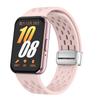
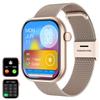
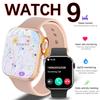
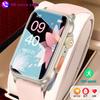
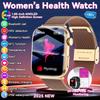
Basic function
step、distance、Calorie、Heart Rate/Blood Pressure/Oxygen Monitoring、Sleep monitoring、call reminder、SMS Alerts、Social APP Message Reminder、Alarm clock reminder、A sedentary reminder、sport、Turn the wrist and shine the screen、Looking for bracelets、Looking for Phones、Remote Photography、Rejection of calls、Do Not Disturb、Multi-dial switching、Bluetooth call
Social APP Message Reminder
WeChat、QQ、Facebook、Twitter、Line、Whatsapp、Instagram
Multi-sport
Rope skipping、Run、situp、Table Tennis、Basketball、Badminton、Mountaineering etc.
Wireless connection
Bluetooth 4.2+5.0 (Bluetooth Low Energy) Supported systems IOS 9.0 and above, Android 5.0 and above
APP/System Language
English、SC、TC、Netherlands、Russian、French、German、Portuguese、Spanish、Turkish、Japanese、Polish、Arabic、Malaysia、Thai、Czech、Slovak
product size
Dial width: 40mm
Strap length: 270mm
Dial thickness: 12mm
Screen: 1.69 inchesStrap Material: Silicone/Stainless Steel Band
Touch Panel:Full touch screen
Software function
Custom wallpaper, Bluetooth-compatible call, music control, social APP message reminder, incoming call reminder, SMS reminder, multi exercise, alarm clock reminder, sedentary reminder, search for mobile phone, music playback, stopwatch, step counting, distance, calories, sleep monitoring, heart rate Monitoring, blood pressure, blood oxygen, searching equipment, language switching, and raising your hand to brighten the screen.
Note:
Wearable devices monitors human activities through electronic sensors,and they are at the consumer electuonics level.It's normal for certain deviation.The user should treat data objectively.
--Please do not compared to hospital equipment about reading,it is NOT a medical device !
--Before using, scan the QR code on the manual to download the app and connect it to the watch with APP.
--For Android user: Please always authorize APP access to all phone functions and always let it operating on. and please turn on the GPS on your phone before you connect it.
-- Please charge it for 2-3 hours
when you receive it. it was run out of power after the long delivery. Thank you!
Mobile client operation instructions
The first time you use it, you need to connect to the APP for calibration. After the connection is successful, the bracelet will automatically synchronize the time.Turn on the Bluetooth switch of the mobile phone system → enter the app device module settings → click "Bind device, experience more functions" to enter, it will automatically search for the nearby Bluetooth devices of the bracelet, find the bracelet device and connect with it. lAfter the pairing is successful, the APP will pop up a guide page, and jump to the mobile phone system Bluetooth search according to the instructions to find the WellAudio device and connect it. After the connection is successful, you can make/answer calls and listen to music (Note: If the mobile phone system Bluetooth cannot be searched all the time For WellAudio devices, please enter the Dual mode menu and set it to ON, you cannot make calls without a WellAudio device connected.)


 No-delivery refund